3. Client Management
Welcome to our Knowledge Base
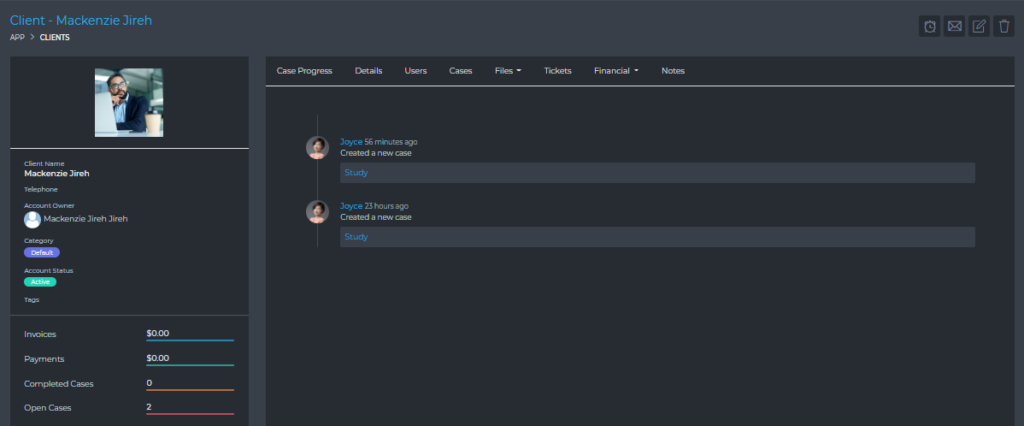
The Client Account section of the dashboard gives you easy access to all the resources linked to a client. From this section, you have access to view and manage items such as:
- Case Progress – This shows you a historic summary of all the activity around a client account.
- Details – This shows the details of the case.
- Users – You are able to manage all the users associated with a client account. Including creating, editing, and deleting users.
- Cases– You are able to manage all the cases that belong to a client. Including, creating, editing, and deleting cases.
- Files – This section allows you to view all files attached to all the client’s cases. You are also able to attach files for the client as a whole. These files are not visible to the client.
- Tickets – This section lists all the tickets that are associated with the client. You are also able to easily manage the support tickets from this section. Including, creating, editing, and deleting support tickets.
- Financial – This section includes all the client’s financial resources, such as:
- Invoices
- Estimates
- Expenses
- Timesheets
- Notes – You can create notes relating to your client. These notes are not visible to the client. They are visible to the rest of your team.