

2. Creating Estimates
Welcome to our Knowledge Base
My Dask CRM allows you to easily manage your estimates. The next sections will explain how to create and manage your estimates.
Creating An Estimate
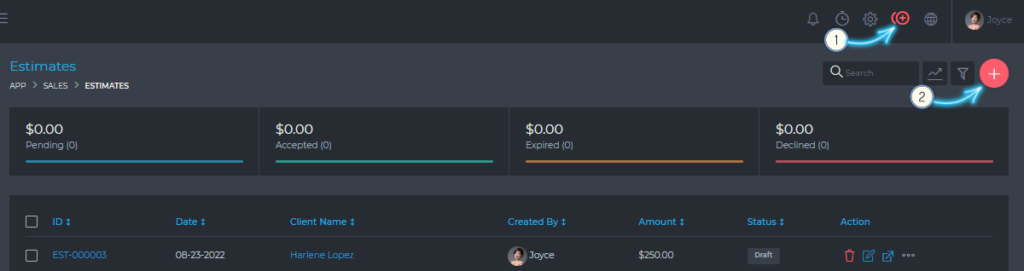
You can create a new estimate by clicking on the (1) Quick Add Icon or by clicking on the (2) Add Estimate Button.
Basic information
- Client *
- Case*
- Estimate Date *
- Expiry Date
- Category *
Additional information
- Tags
- Tags can be any text that allows you to easily identify or highlight important information about the estimate.
- Notes
- You can add estimate notes, which are not visible to the client
- Terms & Conditions
- Default estimate terms are set via the dashboard settings section. You can change these default terms when you create or edit an estimate.